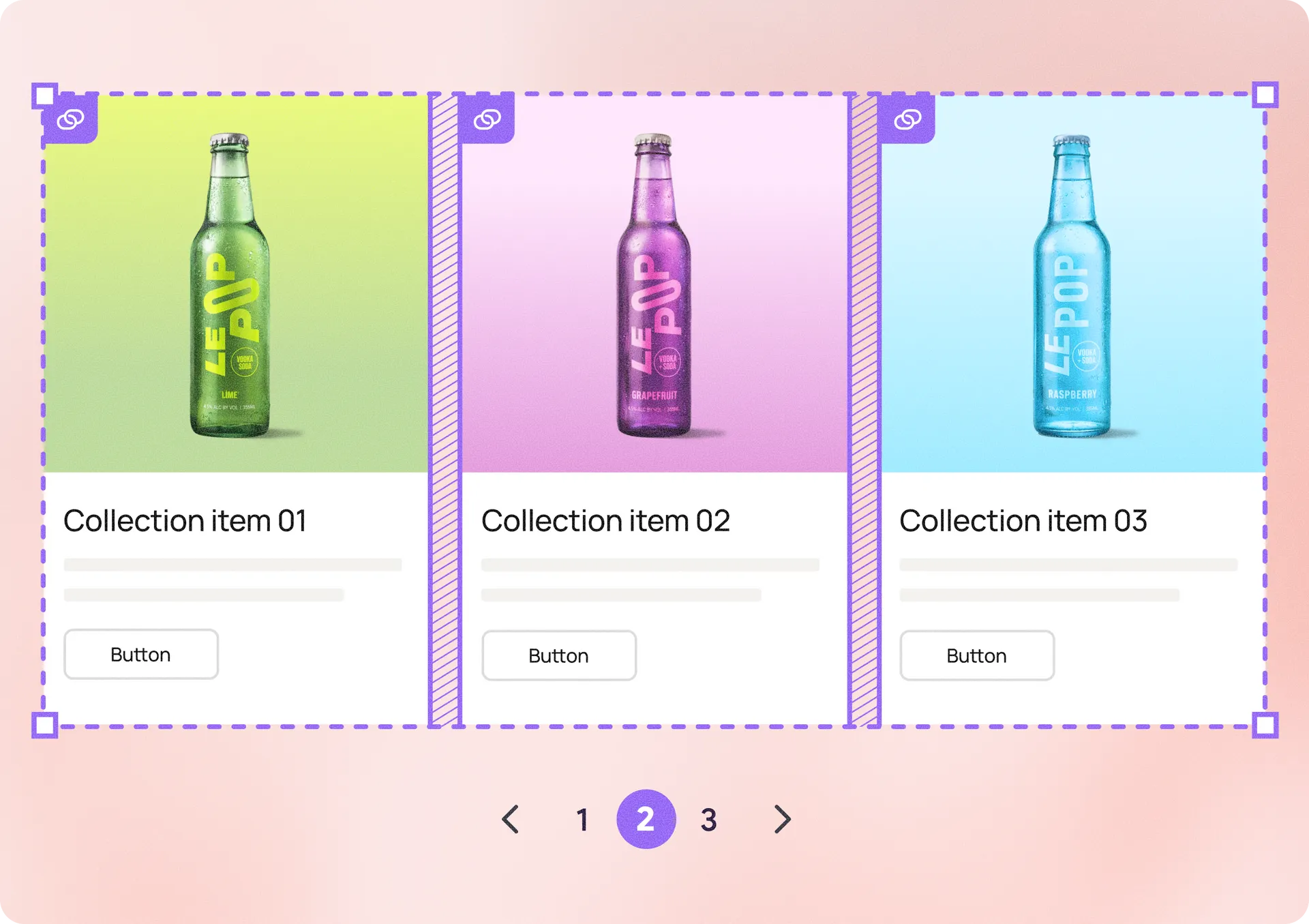
Dynamic Repeater Updates to Help You Design at Scale
We've introduced several enhancements to the Dynamic Repeater that make it easier to build collection-driven experiences. With advanced filtering, related content capabilities, flexible layouts, and built-in navigation options, you now have more control over how collection data is displayed.
Whether you're building product catalogs, directories, blog feeds, team pages, or other dynamic experiences, the Dynamic Repeater is now a more capable collection widget.
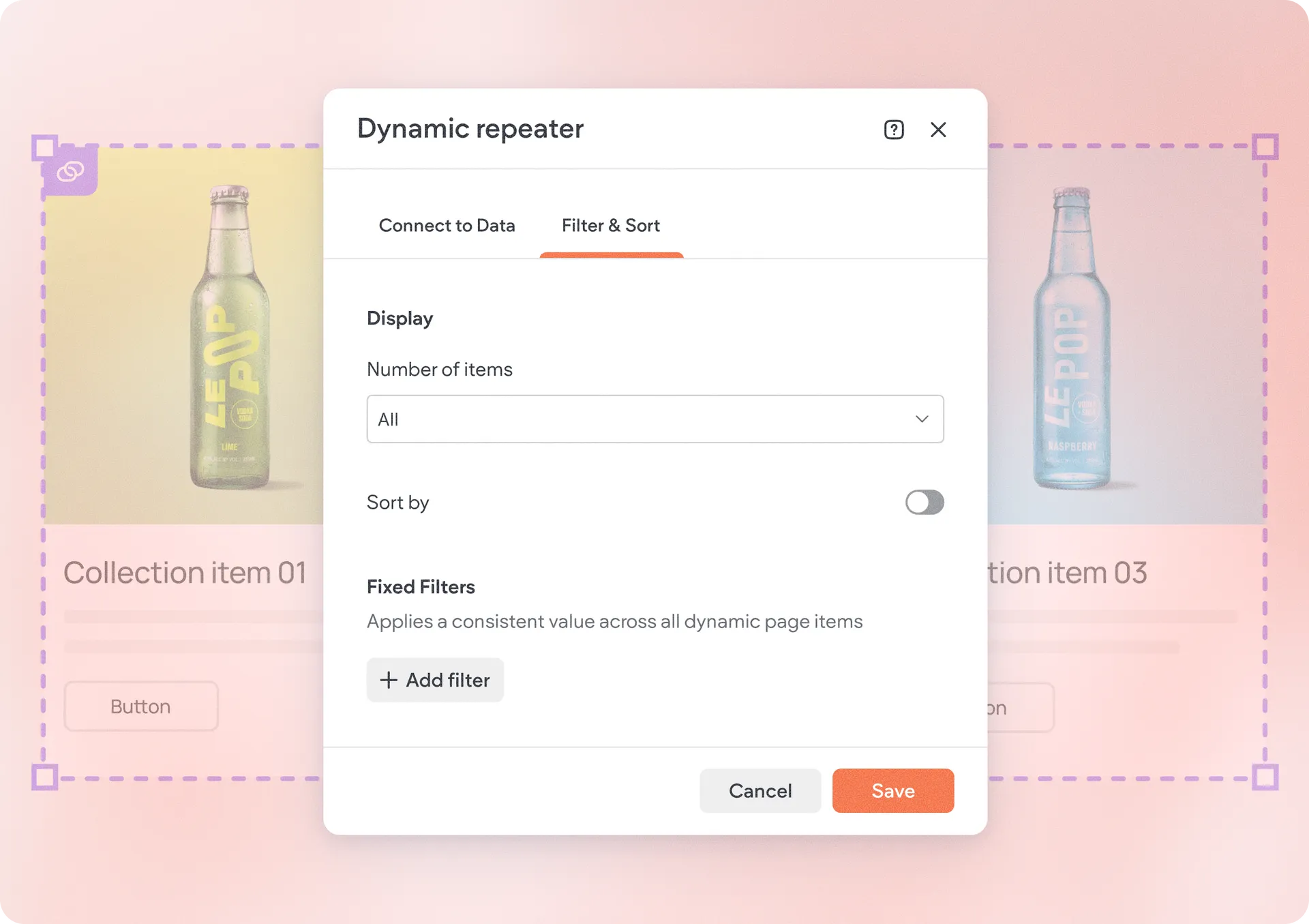
Display the right content with filter & sort controls
Dynamic Repeater now supports the same filter & sort capabilities available in other collection-connected widgets, creating a more consistent collections experience across the editor.
When connected to a collection, you'll find a new Filter & Sort tab where you can:
Control how many items are displayed
Sort records by supported fields
Apply fixed filtering conditions
Create dynamic filters on Dynamic Pages
For example, you can display only active products, sort events by date, or prioritize featured content.
Automatically show related content
Dynamic Repeater now supports dynamic filters on dynamic pages.
A dynamic filter essentially matches values from the current page item with values in another collection, automatically displaying related records inside the Repeater.
For example, you can:
Show products that belong to the current category
Display projects associated with the current team member
Surface blog posts from the same author
Show events related to a specific location
As visitors move between dynamic pages, the displayed content updates automatically.
Use the Repeater to display content from anywhere
You can now connect your Dynamic Repeater to an external collection. This gives you a boost of flexibility and freedom to showcase almost any dataset-based content on your site.
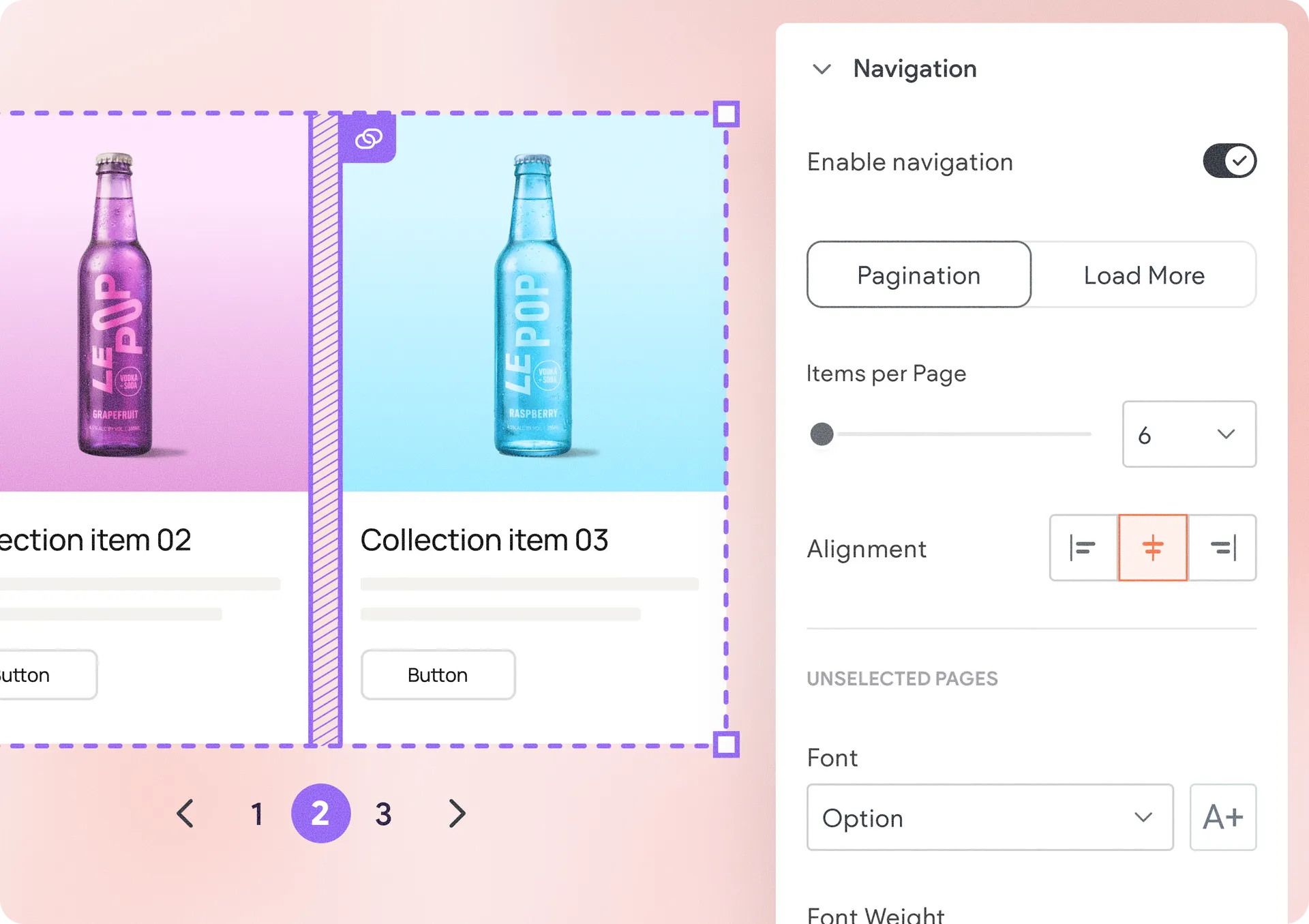
Navigate large collections with pagination and Load More
Managing larger collections is now easier with new navigation options. Previously, Dynamic Repeater displayed all collection items at once. Now, you can enable navigation directly from the design panel and choose between two browsing experiences:
Pagination: Split content into pages and let visitors navigate using page indicators and previous/next controls. This is ideal for directories, product listings, and other larger collections.
Load More: Display an initial set of items and load additional content when visitors click a "Load More" button. This keeps pages cleaner while encouraging visitors to continue exploring.
Both navigation types include built-in styling controls, making it easy to match them to your site's design.
Build more flexible layouts with items per row
You can now define exactly how many items appear in each row using the new Items per Row setting. Choose anywhere from 1 to 10 items per row and create layouts that fit your content.
To improve layout balance, items that don't completely fill a row can now stretch to use the available space.
How to get started
Connect a Dynamic Repeater to a collection and explore the new Filter & Sort tab, as well as the design panel settings for Layout and Navigation where these new updates live.
Was this article helpful?
That’s Great!
Thank you for your feedback
Sorry! We couldn't be helpful
Thank you for your feedback
Feedback sent
We appreciate your effort and will try to fix the article