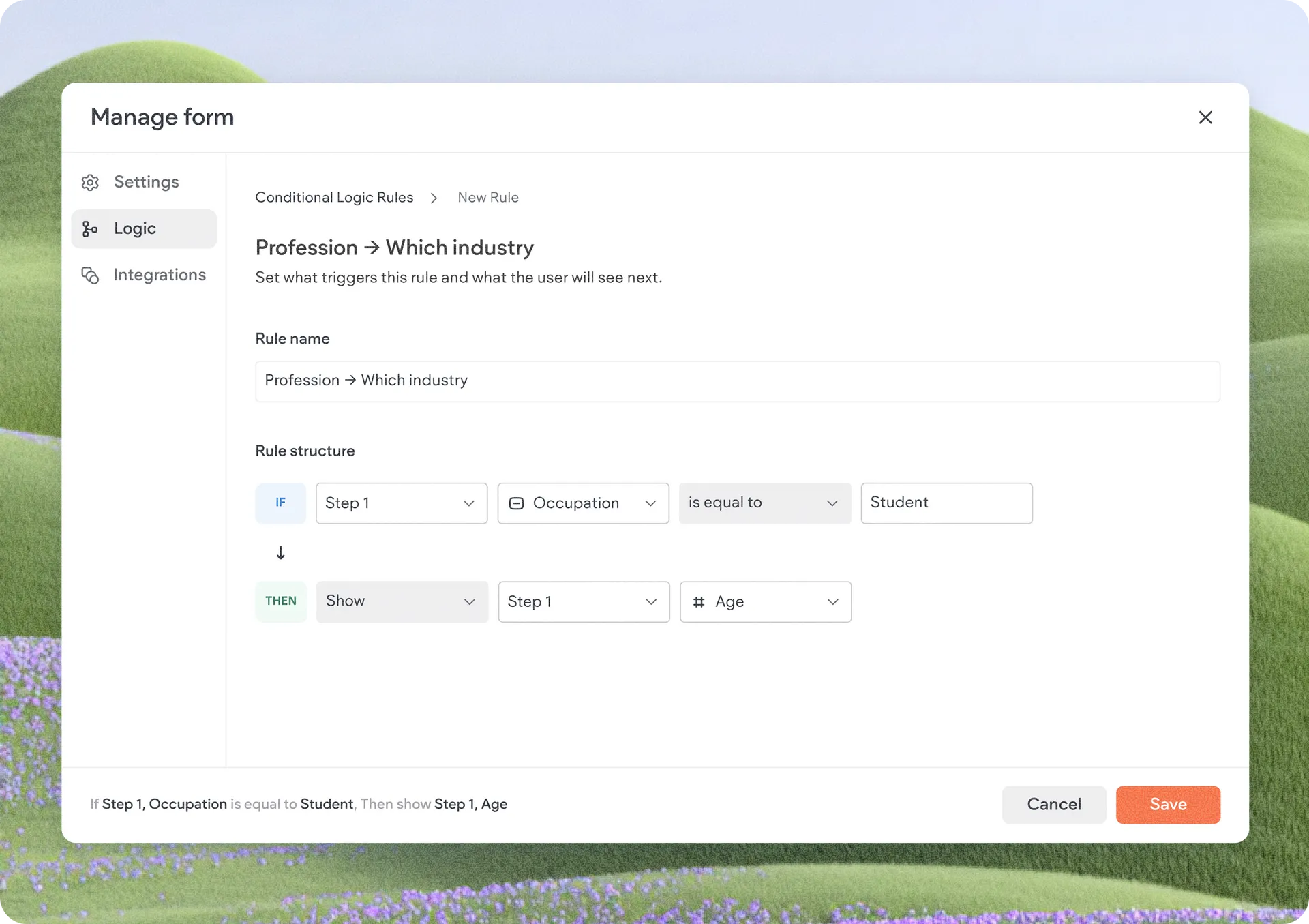
Build Smarter Forms with Conditional Logic in Advanced Forms
We're excited to introduce conditional logic for the Advanced Form widget—a powerful capability that lets you create dynamic forms that adapt in real time based on a visitor's responses.
With conditional logic, you can build forms that respond intelligently to user input, showing only relevant questions and adjusting requirements along the way. The result is a smoother experience for visitors and higher-quality submissions for businesses.
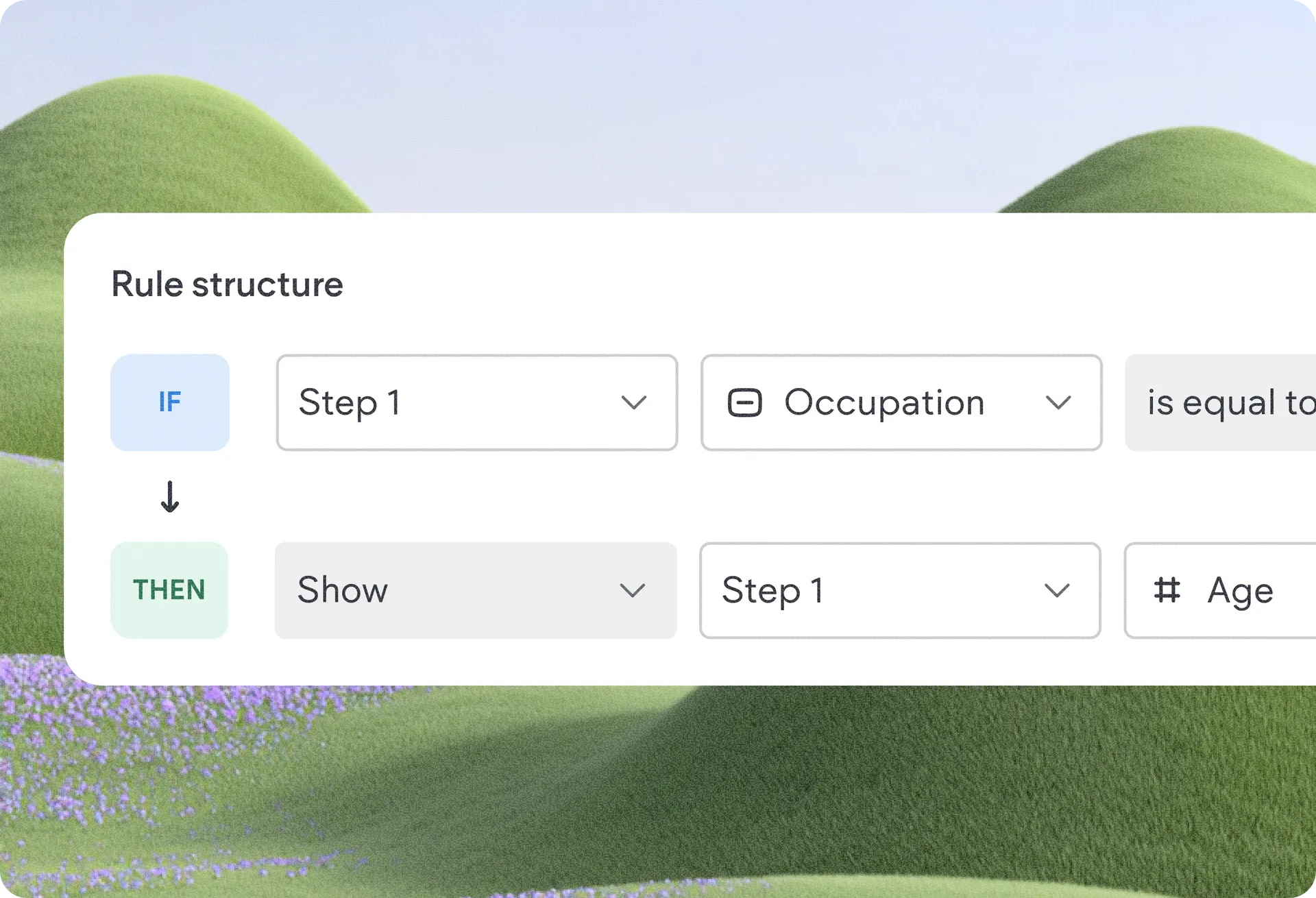
Show the Right Questions at the Right Time
Conditional logic lets you create IF / THEN rules that control how your form behaves based on previous responses, tailoring the form experience to each visitor and increasing completion rates.
Tailored follow-ups: Ask visitors which service they're interested in and display a unique set of follow-up questions for each option.
Smarter lead qualification: Ask qualification questions only when needed, while keeping the form shorter for everyone else.
By reducing clutter and focusing visitors on what's relevant, forms become easier to complete and more effective at capturing valuable information.
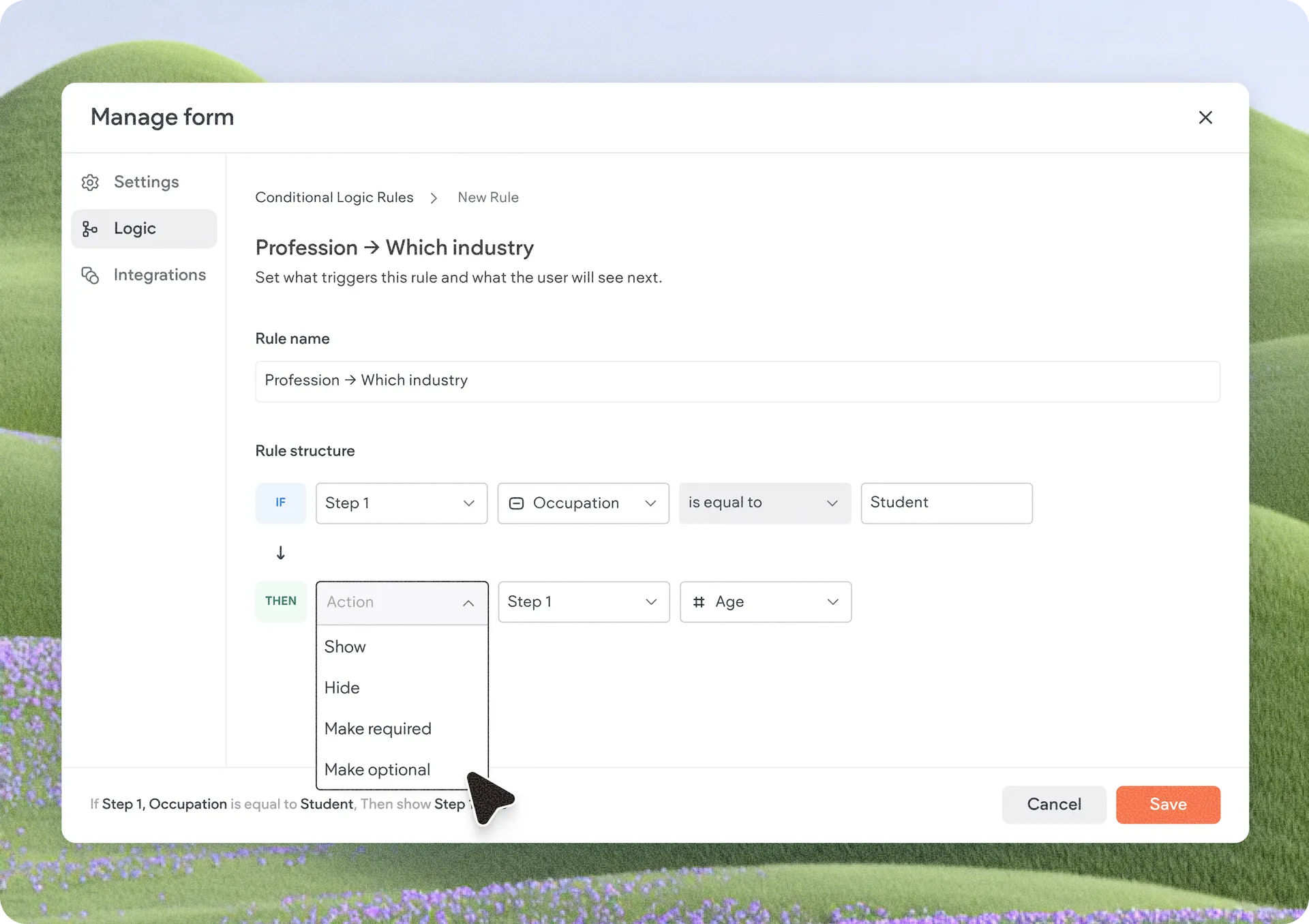
Build Advanced Workflows Without Code
Conditional logic is designed to be powerful yet simple to use. A dedicated Logic tab in the Advanced Form settings allows you to visually create and manage rules without writing a single line of code.
Conditional logic supports 4 main actions:
Show a field
Hide a field
Make a field required
Make a field optional
These actions are supported across all field types available in Advanced Forms, giving you the flexibility to create a wide variety of personalized form experiences.
Get Started with Conditional Logic
Add or open an Advanced Form widget in the editor.
Click Settings and navigate to the Logic tab.
Click + Add Rule to begin creating IF / THEN conditions.
Configure how fields should behave based on user selections.
Start building smarter form experiences today!
Was this article helpful?
That’s Great!
Thank you for your feedback
Sorry! We couldn't be helpful
Thank you for your feedback
Feedback sent
We appreciate your effort and will try to fix the article