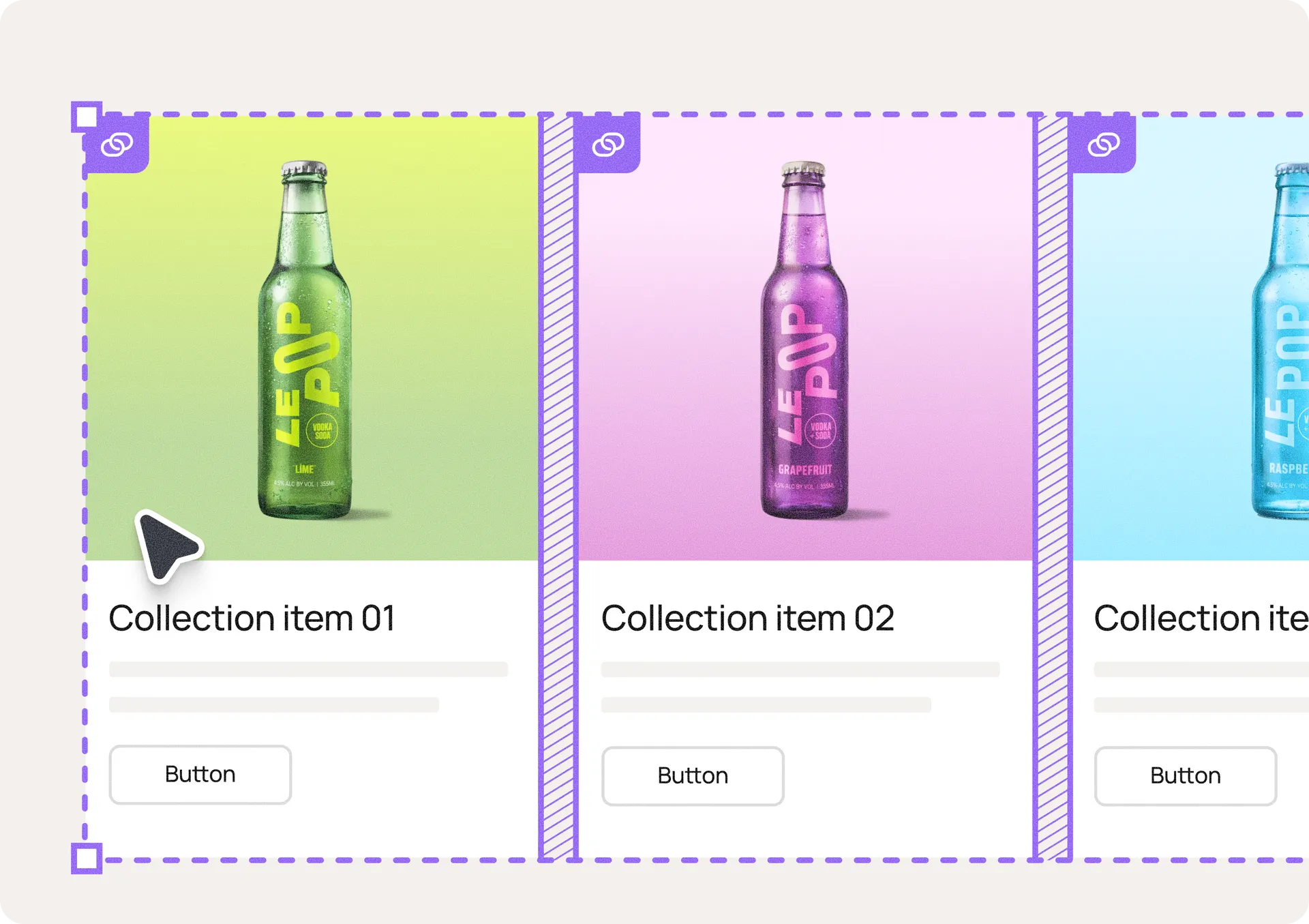
Goodbye Repetitive Design, Hello Dynamic Repeater
Building product grids, service or event listings? The new Dynamic Repeater (beta) in Editor 2.0 lets you design once and auto-populate cards from your collection data. No more copying, pasting, or manually syncing changes—just faster, cleaner layouts that scale with your content.
What it does
The Dynamic Repeater is a collection-powered layout tool. You design a single card template, and it generates as many copies as you need, with each item pulling unique content from a different collection row.
Update once, sync everywhere: Change a font, add a widget, or adjust spacing in your template, and every card updates instantly.
Data-driven scaling: Your design remains consistent regardless of how much content you add.
How it works
Drop a Dynamic Repeater onto your canvas, and it creates a collection automatically. Each card connects to one row of data and comes with a default setup:
Image
Title
Body text
Button
Customize these freely and link them to any collection fields you want. To update the content, just edit the collection. Add a row, and a new card appears. Change a field, and it updates across your site.
Built to engage, easy to scale
Whether you're showing just a few or many items, the Dynamic Repeater handles it with ease. Use this tool to showcase most kinds of list items, like:
Service offerings – Consistent service cards.
Event listings – Dates, images, and registration links.
Team pages – Staff bios with photos.
Location directories – Multiple offices or properties.
In addition, you can use the Dynamic Repeater as a new and improved way to display Dynamic Pages within the site. If you've used Dynamic Pages before, this will feel familiar; it’s the same data-driven approach, now available for flexible layouts.
Getting Started
Find it in Editor 2.0 > Widgets > Layout Elements. Drag it onto the canvas, style your template, and populate the collection.
Important Notes
The Dynamic Repeater is in beta: We are still refining this feature to ensure it provides the best possible experience.
Switching collections: If you connect to a different collection, you will need to manually relink each card element to the new data.
Using widgets: Widgets that support collection data must be manually connected. Widgets that do not support data will appear as static visuals across all cards.
Availability: The Dynamic Repeater is available with Agency account plans and up.
The Dynamic Repeater brings collection power into your design workflow, making it easier to build flexible, scalable layouts without sacrificing speed or control.
We can't wait to see what you build with it.
Was this article helpful?
That’s Great!
Thank you for your feedback
Sorry! We couldn't be helpful
Thank you for your feedback
Feedback sent
We appreciate your effort and will try to fix the article