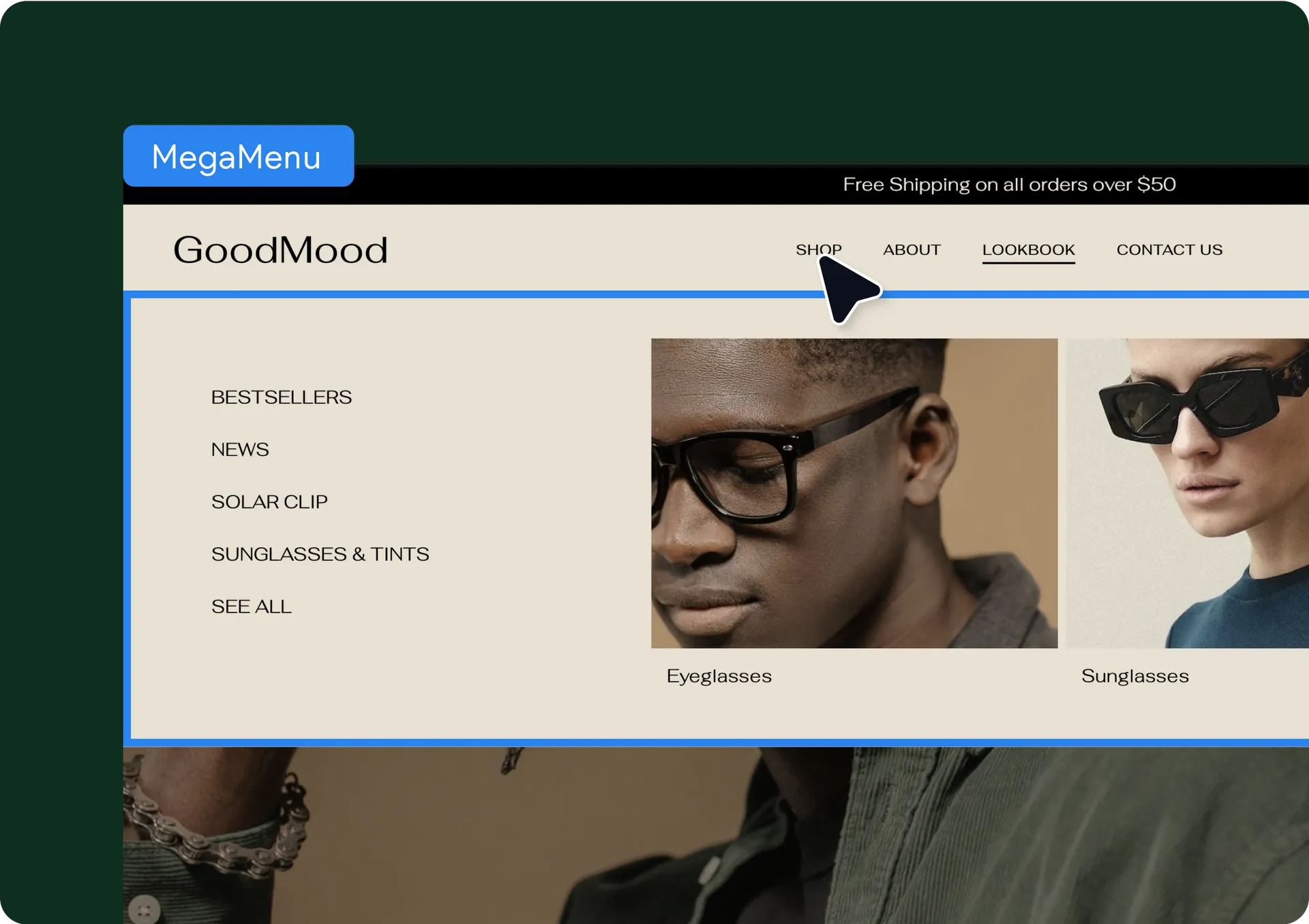
It’s here! The Mega Menu Comes to Editor 2.0
You can now add a mega menu to your Editor 2.0 sites’ headers and offer site visitors an easy and fast way to navigate and find what they want on the sites you build. The new mega menu transforms traditional dropdowns into a beautifully structured, multi-column layout that can include subcategories, images, videos, icons, and buttons.
Mega menu actions for a more efficient design process
In addition to customizing your mega menu to make it look the way you want, you can also duplicate the entire mega menu section and use it on the same site to save time designing. And soon, you’ll also be able to save an existing mega menu as a section to reuse it in other sites in your account, so stay tuned!
Built with the Editor 2.0 section = full design flexibility
Because the mega menu is built as any other section you use in Editor 2.0, the design possibilities are virtually endless. And even though you’ll have mega menu presets to choose from, you can customize each as much as you want by adding elements and widgets to it, in addition to the more traditional links.
How to add your mega menu
Add a new Navigation Links widget to your site, or open your site’s existing one.
Switch to the Custom Links option, and you’ll see the mega menu as one of the options there which you can add and then edit.
Click the Edit Mega Menu link and this will take you to the open mega menu over your header, where you can view and tweak it the way you want.
Keep in mind that the mega menu is currently available only in navigation links with a horizontal layout.
Was this article helpful?
That’s Great!
Thank you for your feedback
Sorry! We couldn't be helpful
Thank you for your feedback
Feedback sent
We appreciate your effort and will try to fix the article